April - July 2025

Using research and product thinking to fully re-imagine Quest's course selection process

Context

The quest to improve Quest's information system

The quest to improve Quest's information system

Quest is the University of Waterloo's information system used by students to manage all personal information with the school. Every term, over 40,000 Waterloo students use Quest to select and register for their courses for the upcoming semester. However, there are always discussions around the school about how frustrating Quest is to use.


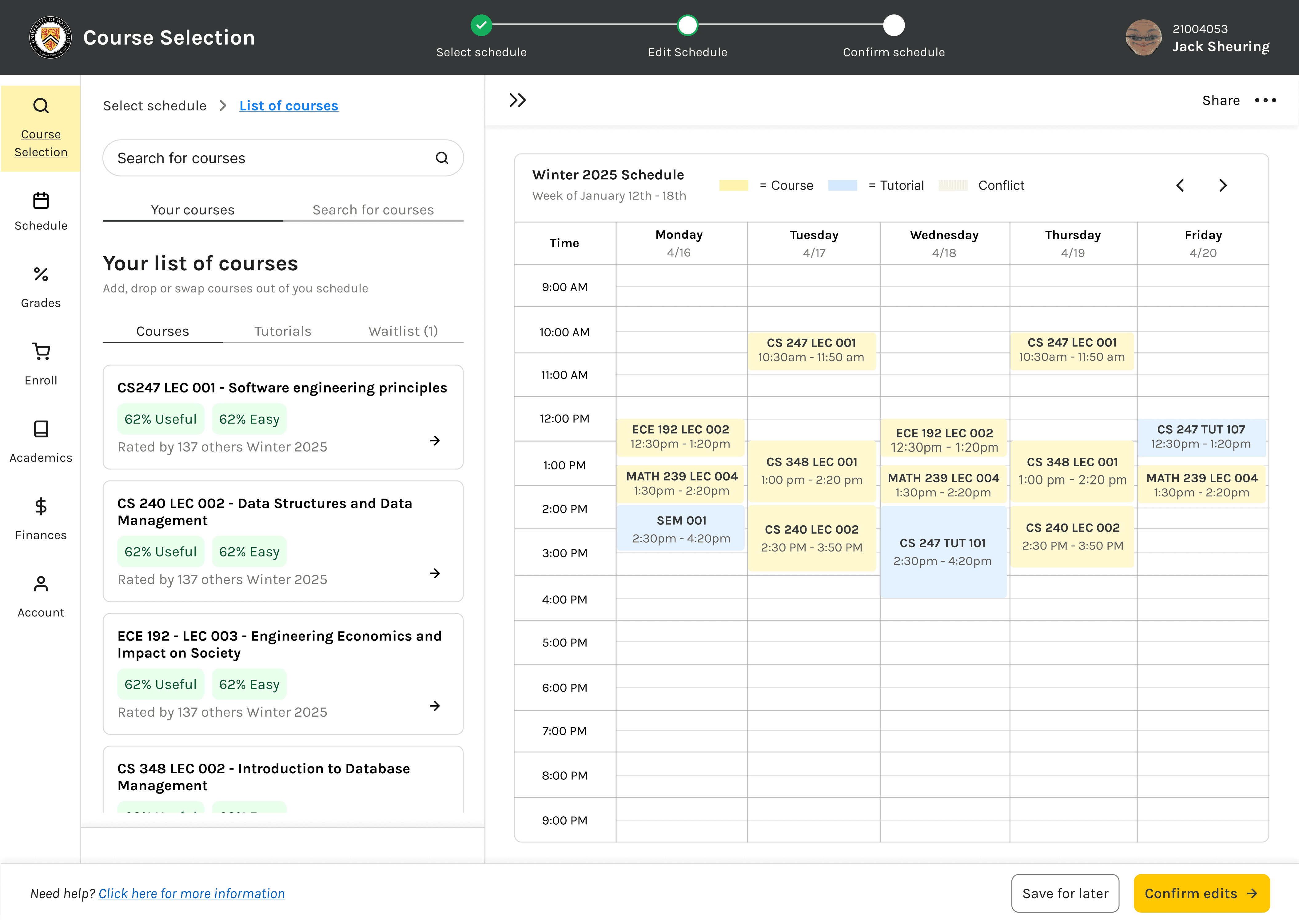
As a student myself, I set out to uncover what made the Quest so frustrating and designed a working prototype to fully re-imagine what a good course selection experience looks like.

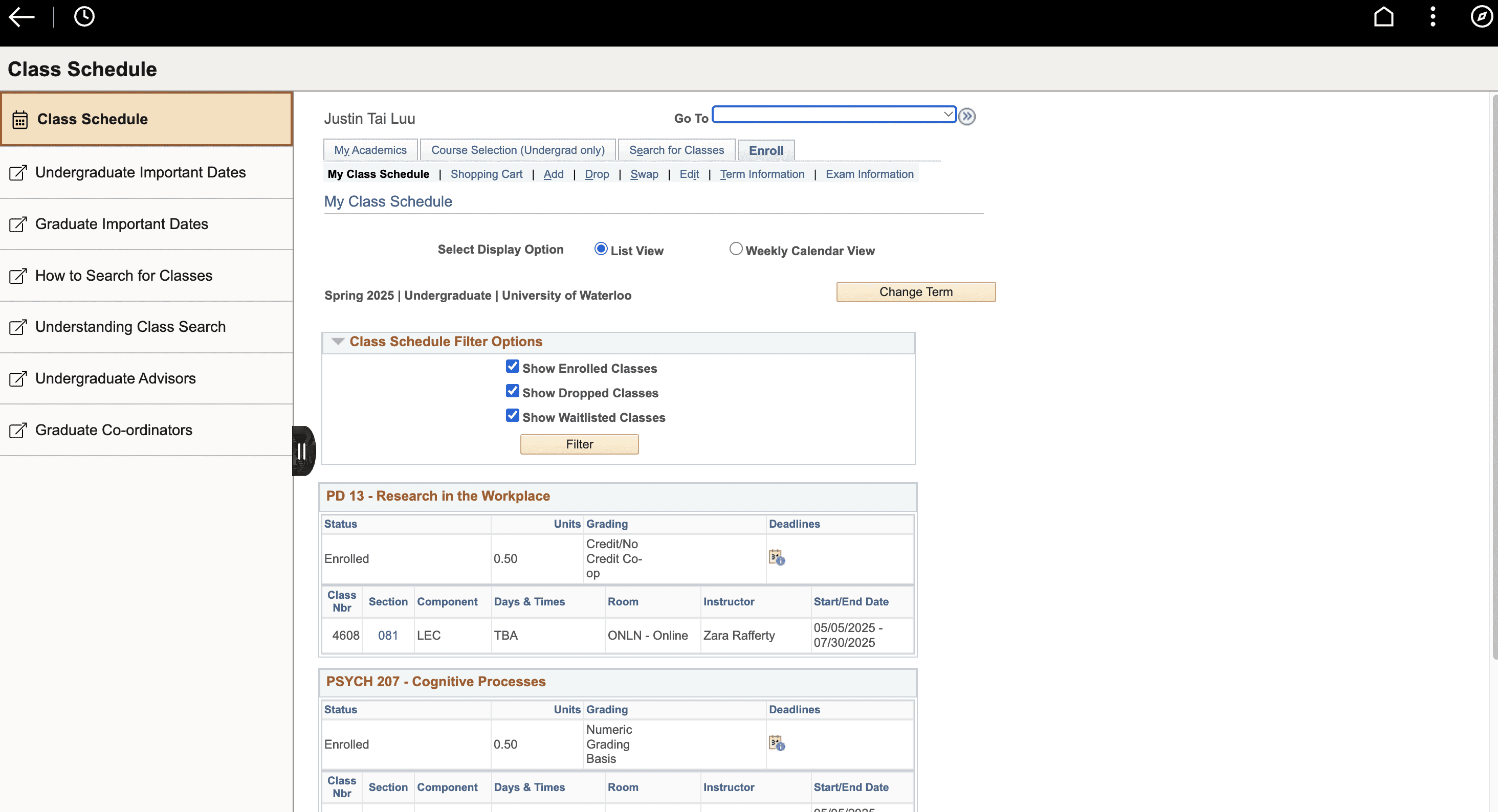
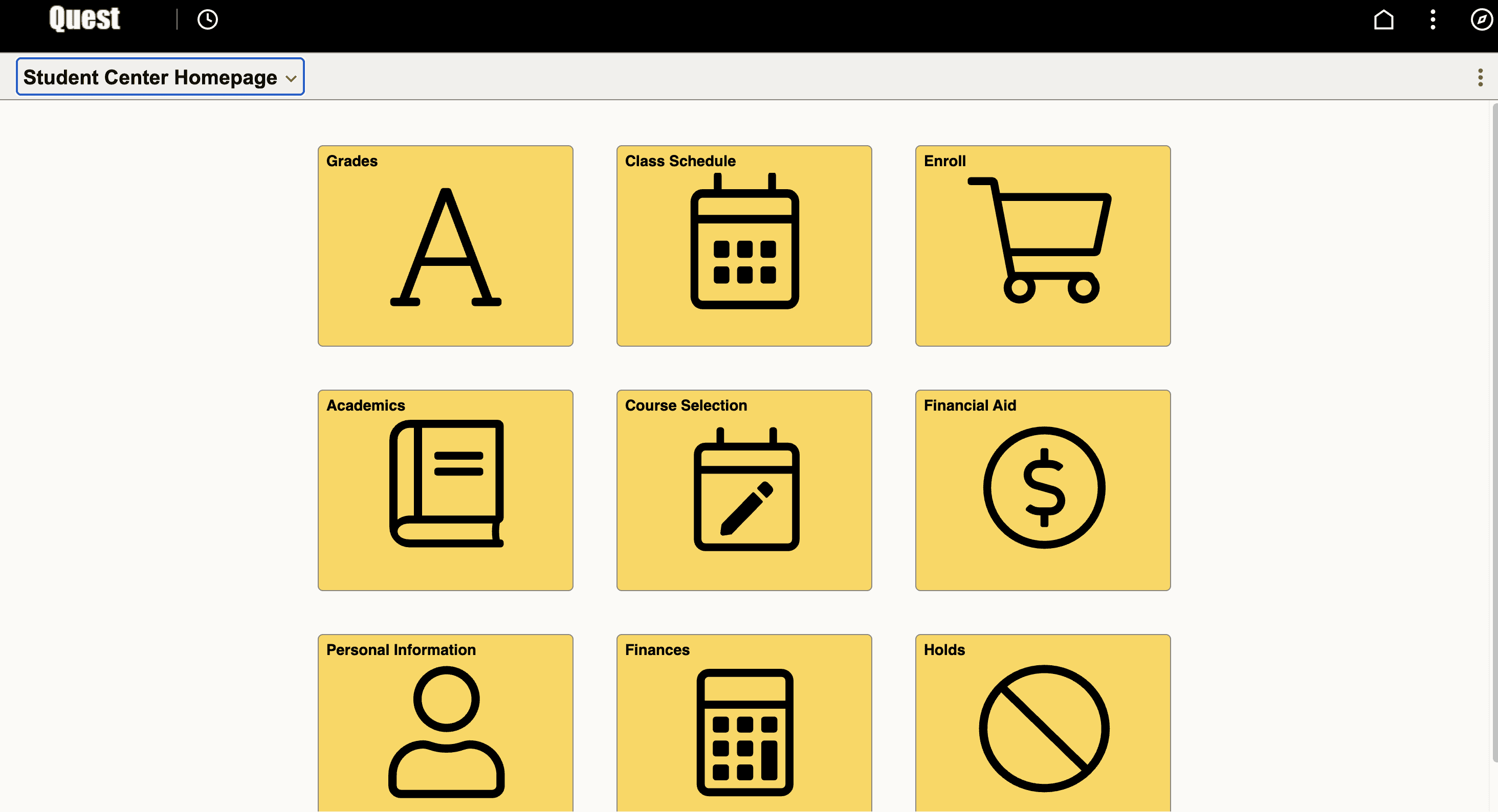
These are two snapshots of Waterloo's Quest information system:
Skills

Design thinking

Product thinking

User research

Project type

Personal project

Redesign

Team

Solo
THE PROBLEM

Quest's Course selection is overwhelming and frustrating

Due to the outdated website and poor user experience, many students dislike the course selection process on Quest.

THE PROBLEM

Quest's Course selection is overwhelming and frustrating

Due to the outdated website and poor user experience, many students dislike the course selection process on Quest.

THE PROBLEM

Course selection is overwhelming and frustrating on Quest

Due to the outdated website and poor user experience, many students dislike the course selection process on Quest.

introducing…

A re-imagined course selection process on Quest!

A re-imagined course selection process on Quest!

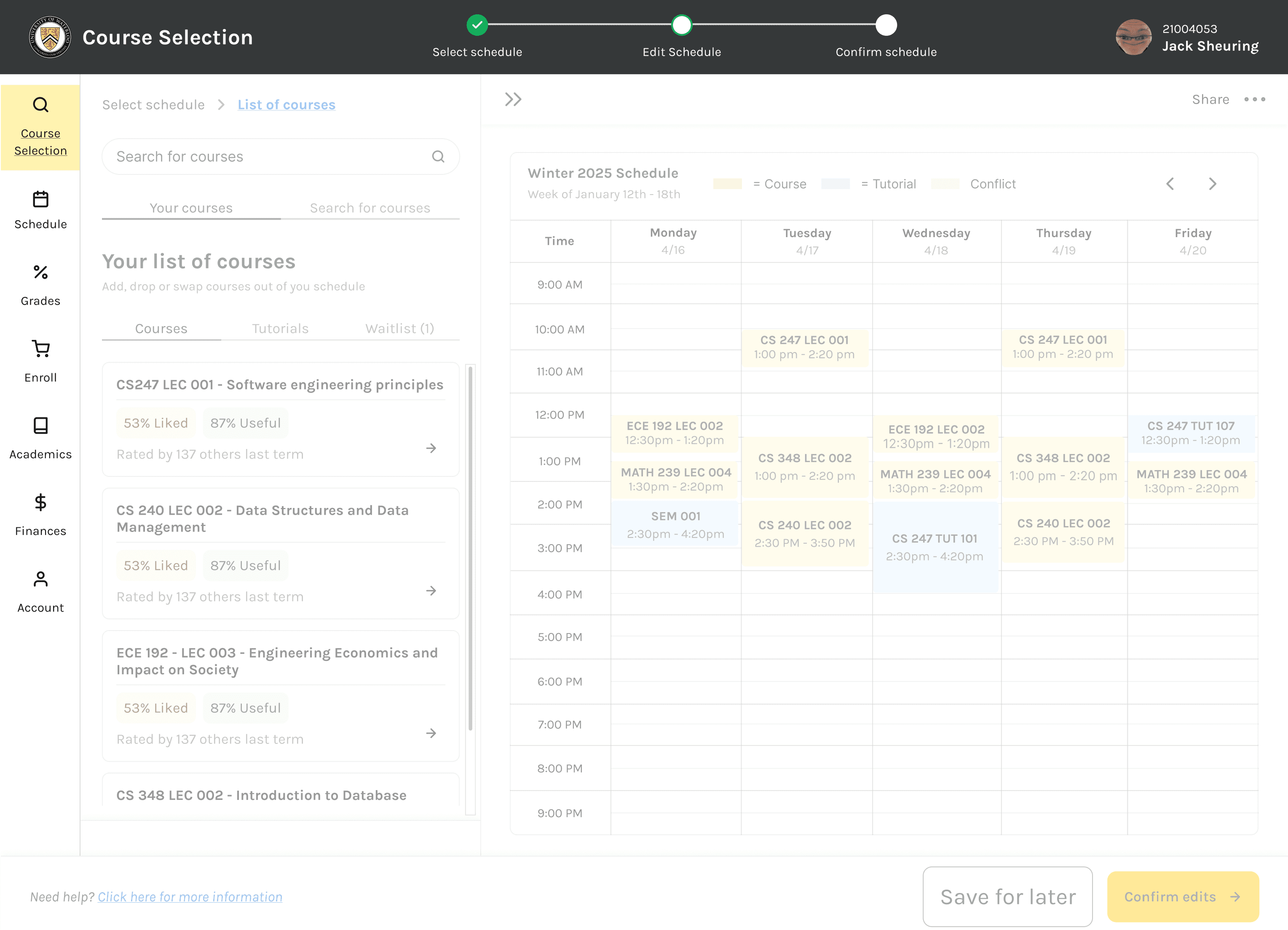
Through research and ideations, I completely re-imagined how the course selection system would look like to solve the real needs of the users.

Research process

Conducting user research

Conducting user research

I made sure that the users were at the core of the solution through research. `I used insights from user surveys, keyword search, and market analysis to inform my solution.

Secondary research

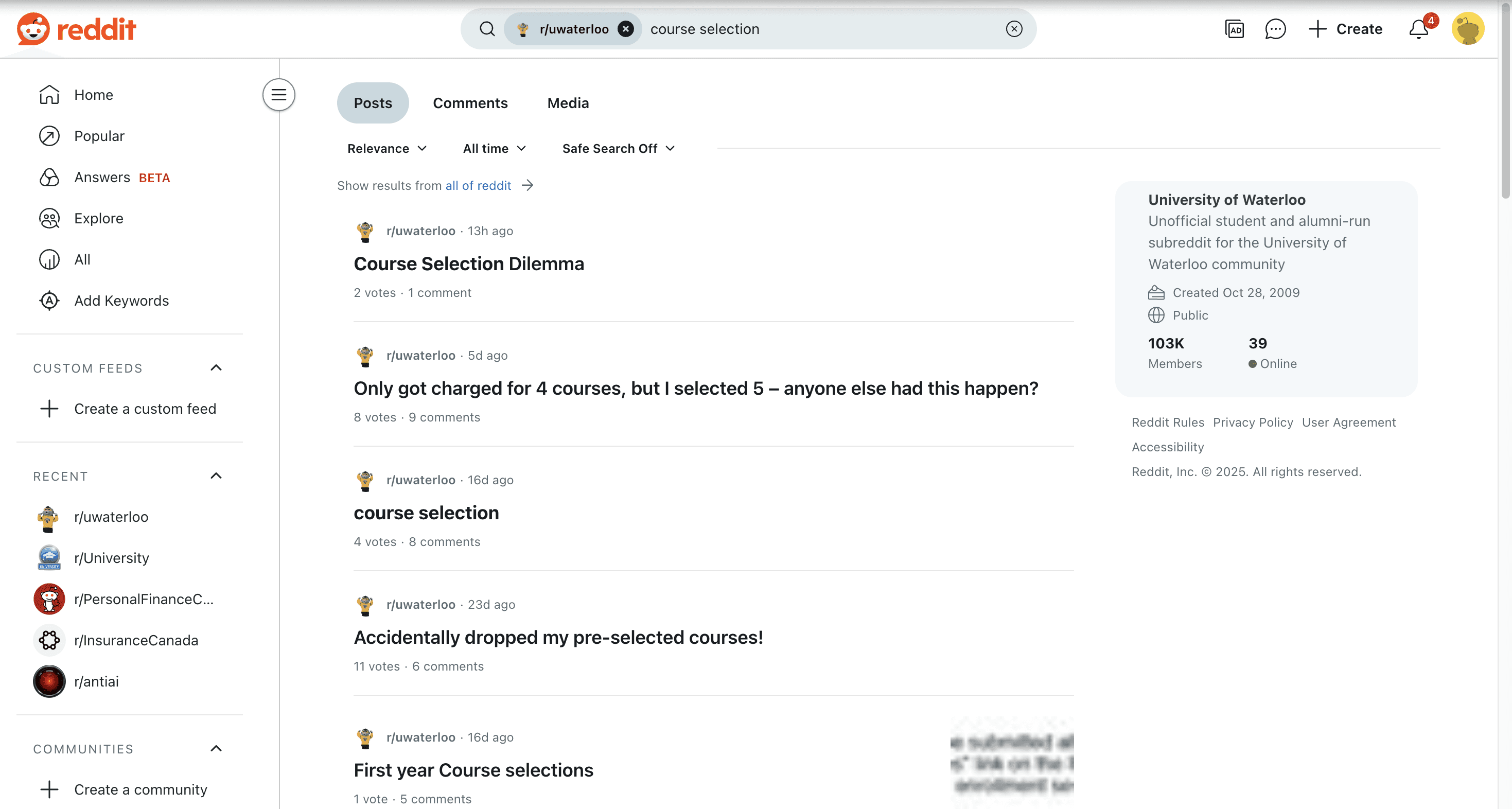
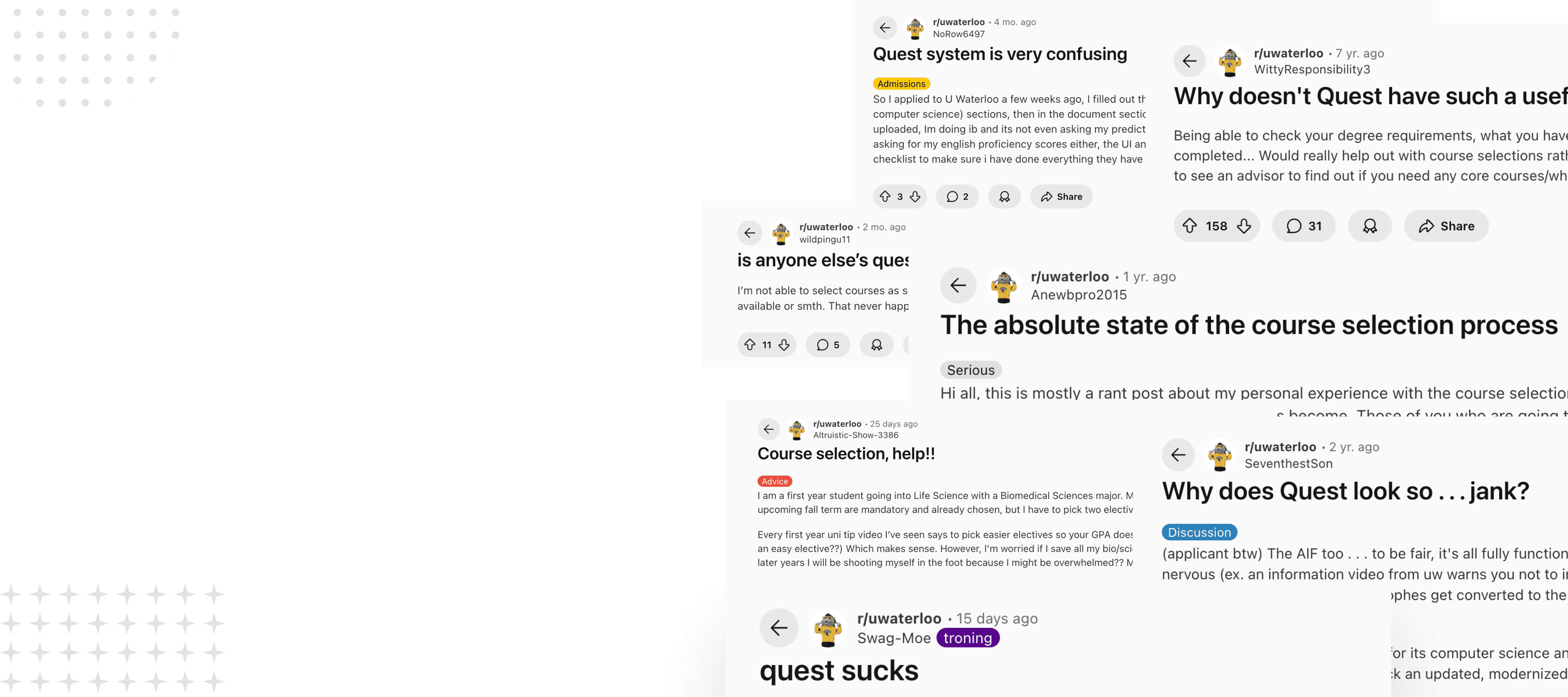
Used keyword search on the University of Waterloo's official Reddit page to discover problems
Insights

Provided a high-level overview of Waterloo students pain points

Helped establish empathy for students

Insights

Provided a high-level overview of Waterloo students pain points

Helped establish empathy for students

User surveys

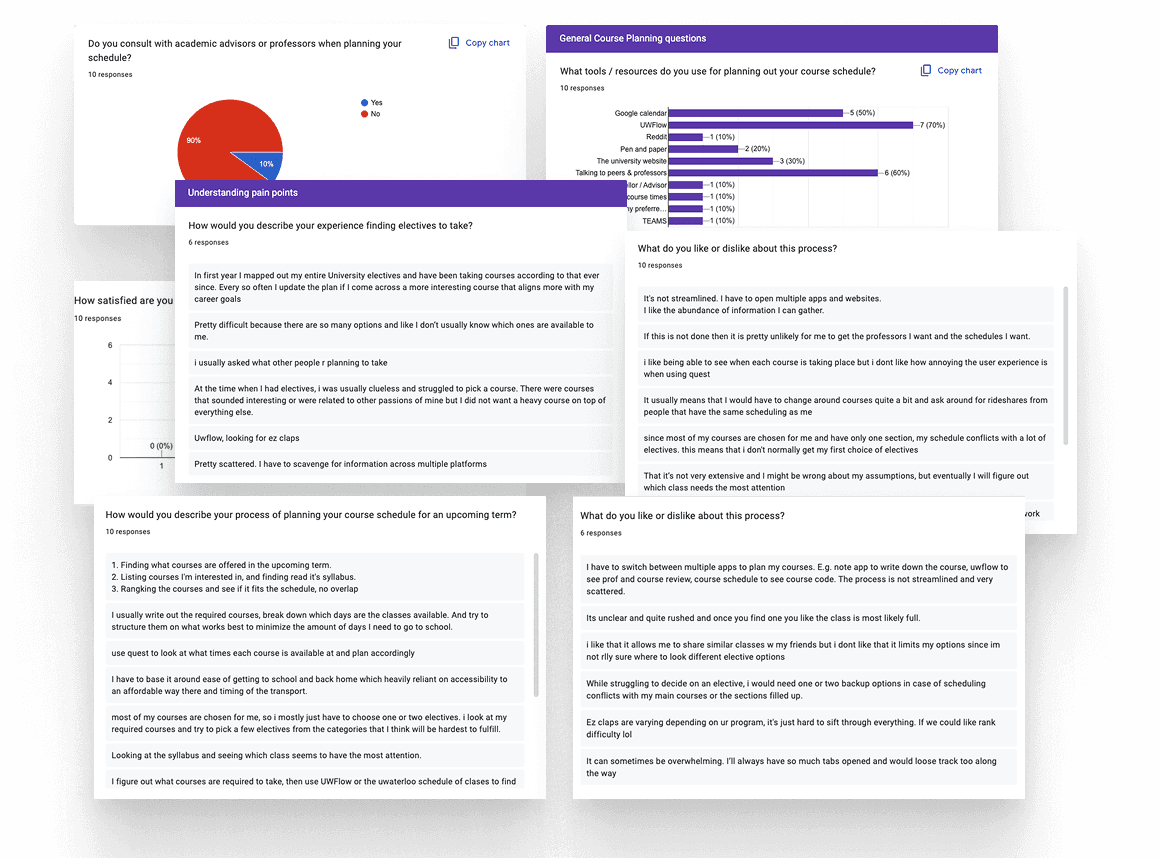
Sent out surveys to 10 Waterloo students of various disciplines understanding problems related to course selection

What did I learn through this research?

What did I learn through this research?

1) Information is scattered and too overwhelming

1) Information is scattered and too overwhelming

Course information is scattered across multiple official and unofficial university websites. Makes it difficult to gather information.

“I’ll always have so many tabs open and would lose track” ~ Waterloo Student
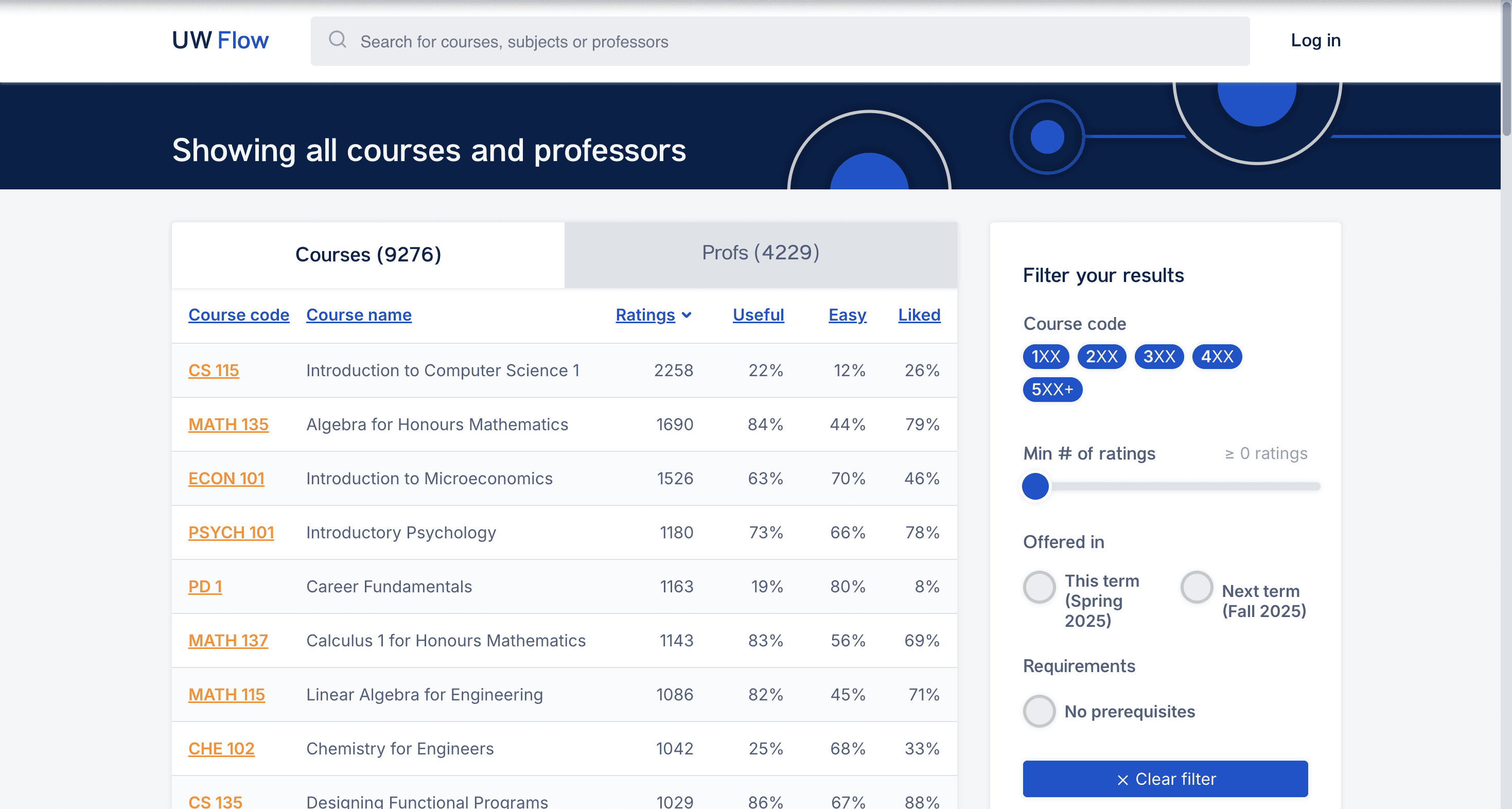

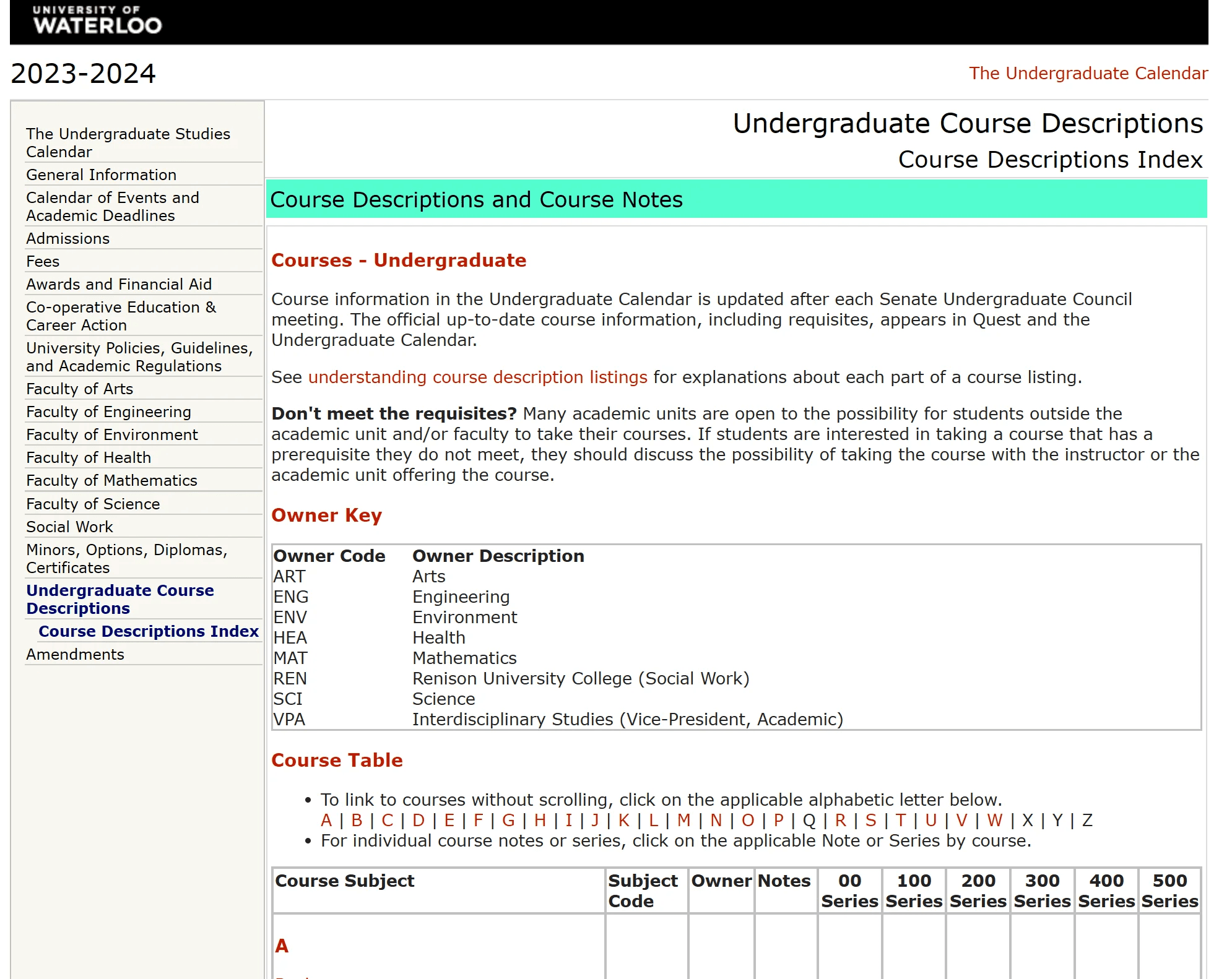
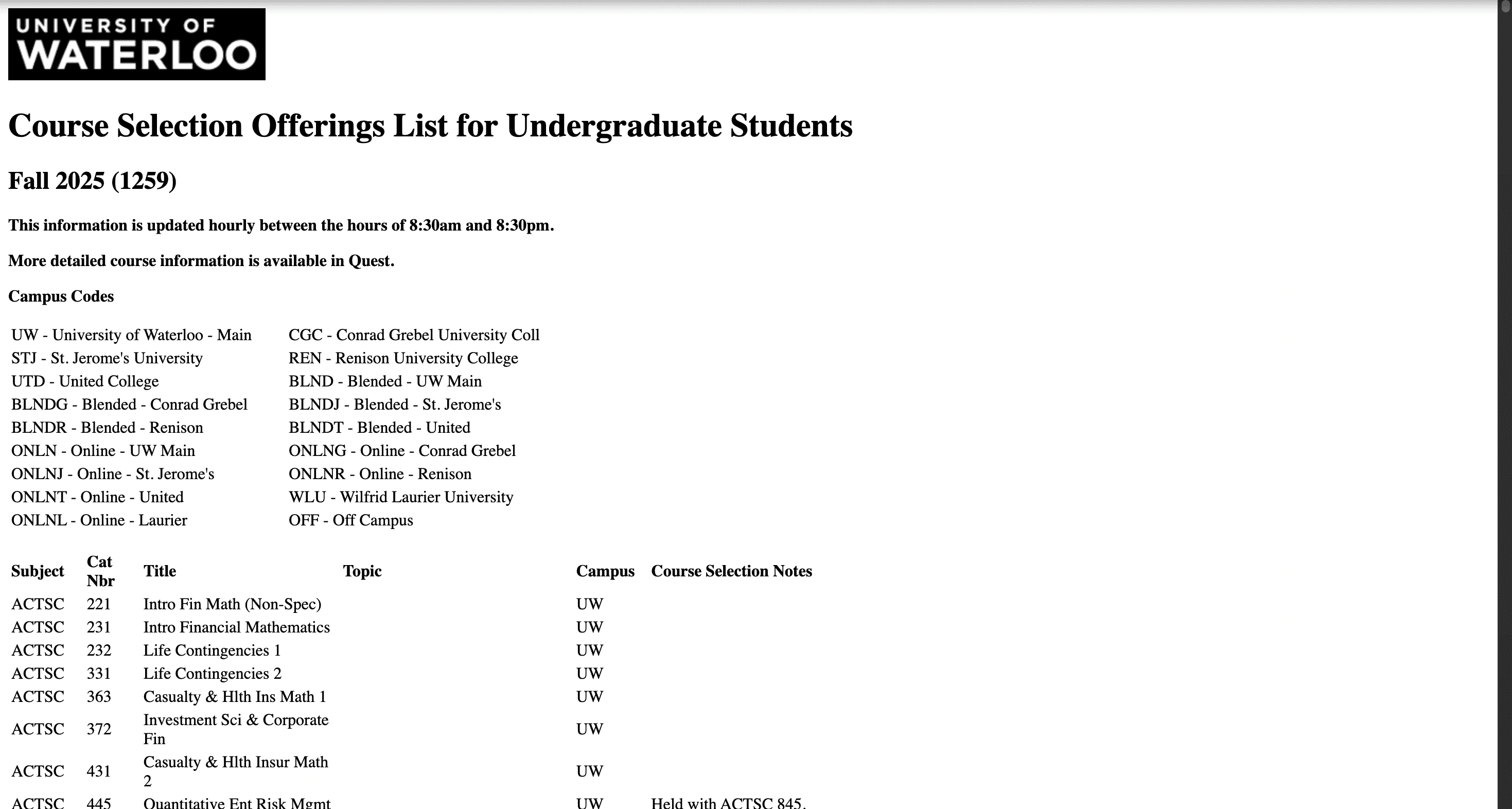
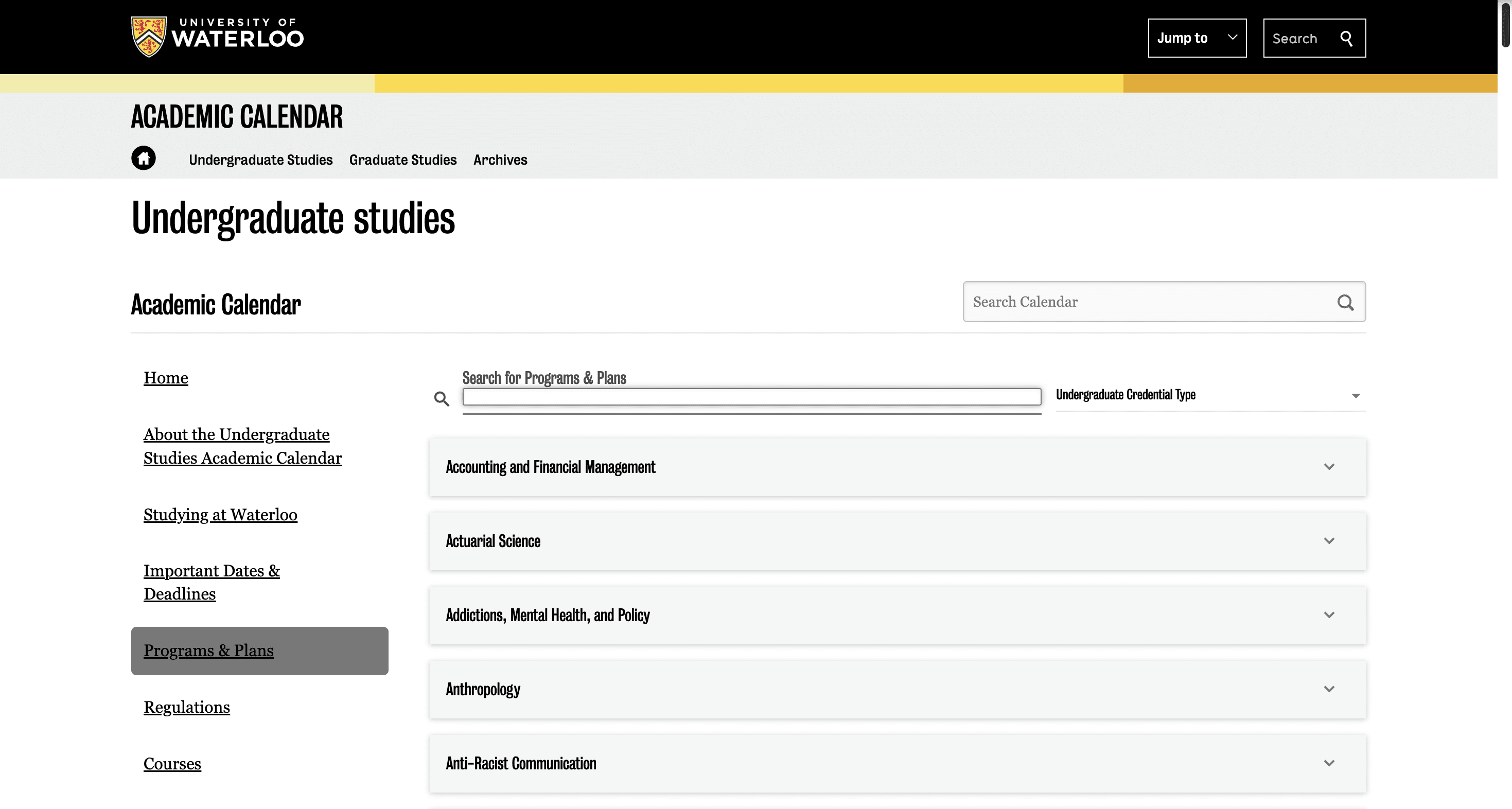
The various websites available for students
Navigating the Quest website

2) Information architecture hinders usability

Using Quest is hard to navigate, its difficult to find important information and progress through the website.

“The UI and the website is so confusing wwhat should i be doing, pls help!!!”

~ Waterloo student from Reddit

3) Course constraints are communicated poorly

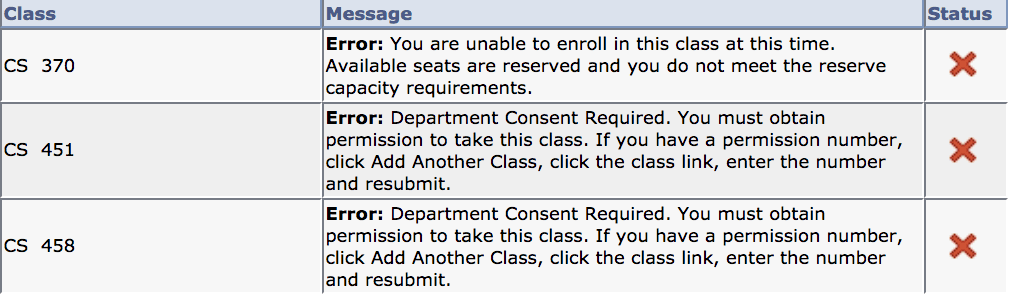
Prerequisites and reserved spots are poorly communicated, students often find out too late.

“I wanted to take a course but didn't know that its reserved for 1A students”

~ Waterloo Student

Quest course constraints

Navigating the Quest website

2) Information architecture hinders usability

Poor design of Quest makes it hard to navigate and coordinate schedule timings with courses.

“The UI and the website is so confusing wwhat should i be doing, pls help!!!”

~ Waterloo student from Reddit

Navigating the Quest website

2) Information architecture hinders usability

Poor design of Quest makes it hard to navigate and coordinate schedule timings with courses.

“The UI and the website is so confusing wwhat should i be doing, pls help!!!”

~ Waterloo student from Reddit

3) Course constraints are communicated poorly

Prerequisites and reserved spots are poorly communicated, students often find out too late.

“I wanted to take a course but didn't know that its reserved for 1A students”

~ Waterloo Student

Quest course constraints

3) Course constraints are communicated poorly

Prerequisites and reserved spots are poorly communicated, students often find out too late.

“I wanted to take a course but didn't know that its reserved for 1A students”

~ Waterloo Student

Quest course constraints

More research

Mapping the user journey and exploring the landscape

Mapping the user journey and exploring the landscape

To design a solution that truly worked, I needed to understand where in the course selection process these frustrations occurred and what solutions (if any) already existed.
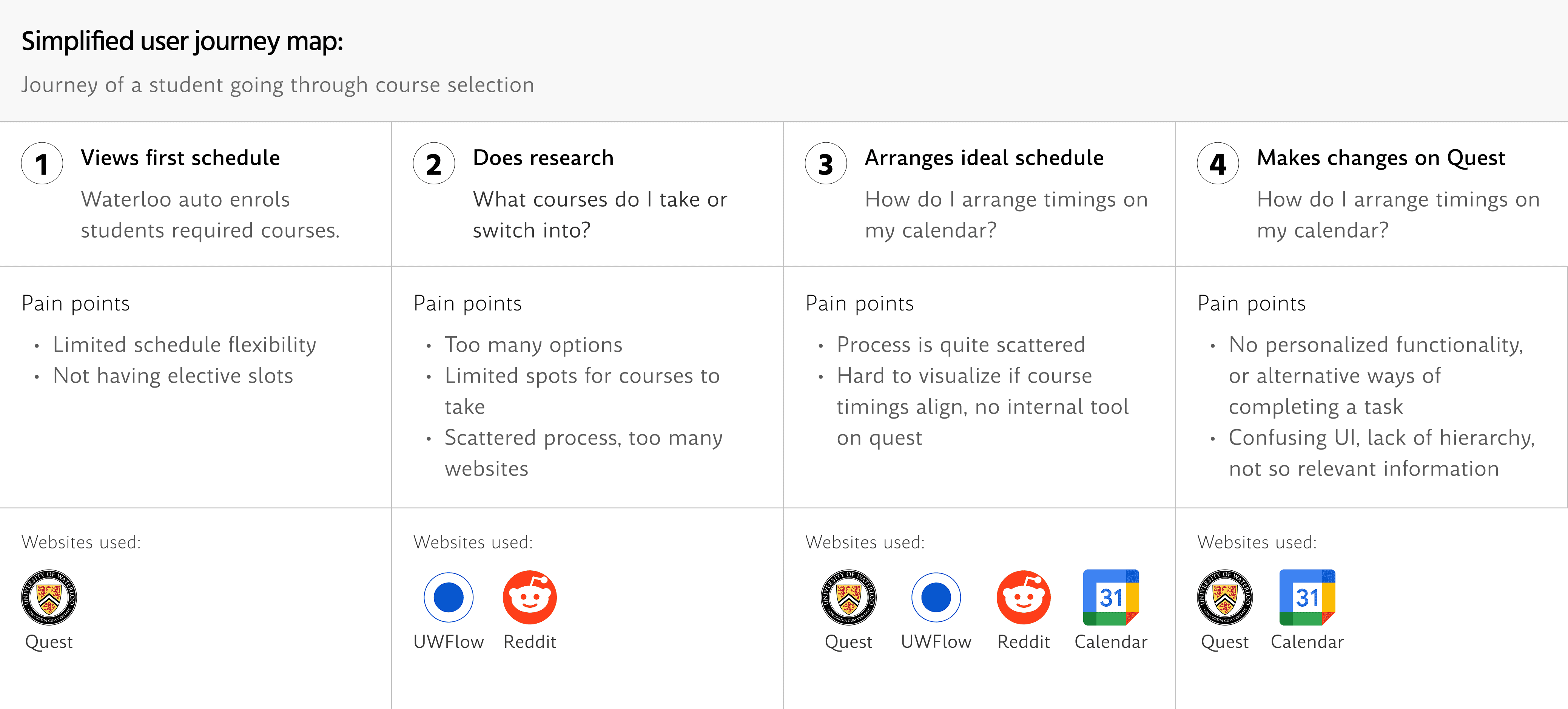
This chart showcases each pain point within each step and the most common websites used for each step of the user journey,

What did I learn from this?

A new product would worsen course selection

A new product would worsen course selection

Using the market analysis, I realized that creating an entirely new product would just add to the overall clutter of information available. That's why I opted for a re-design instead.

Students alternate between research and scheduling

Students alternate between research and scheduling

Students have to constantly switch tabs planning out different course timings in their schedule. (Hint hint: This insighted the core feature of simutaneous viewing in the re-design)

HMW Statement

My approach to this problem

Fixing these problems required more than just simple UI changes. I needed to solve the needs of the users, and I felt that it required re-imgining the whole website.

So I crafted a HMW statement to help guide my solution:

HOW MIGHT WE?

HMW re-imagine Quest to ensure students are more informed and less overwhelmed to make decisions that they are comfortable with?

Product requirements

From pain points to product requirements

From pain points to product requirements

For each pain point and outlined by my user journey map, I created a list of features that would solve their corresponding pain point to ensure that my solution was user-centred.

Overview of my Notion paged used to organize my product work

Sketching and ideating ideas

This list of features helped me begin ideation where I sketched and conceptualized each of these ideas. During this stage of the process, I filtered out what to include and exclude for the final solution.


(Feel free to contact me if you want to learn more!)
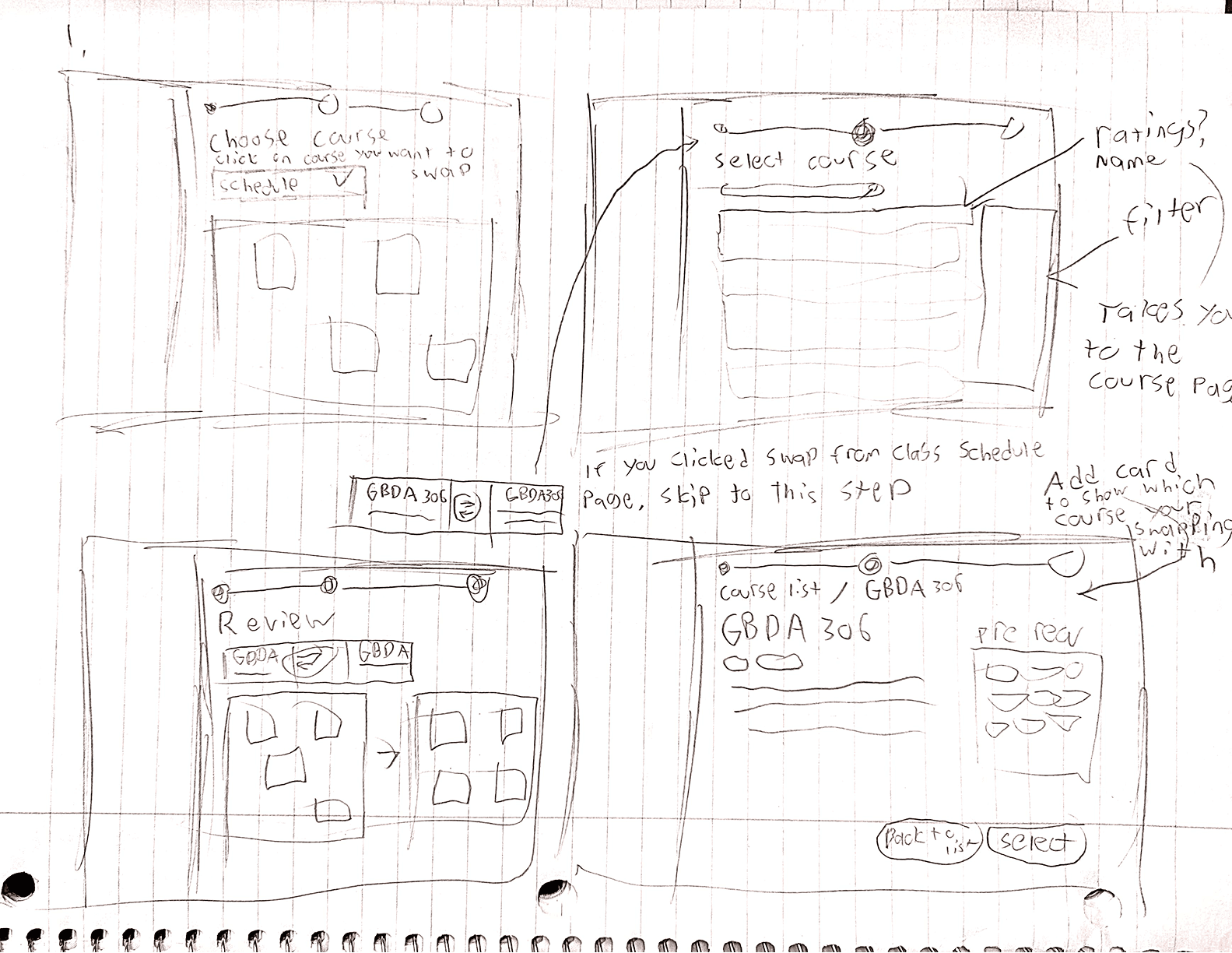
Sketches I made exploring different concepts and ideas

Sketches I made exploring different concepts and ideas

Design

Key design decisions

Key design decisions

After experimenting and exploring different ideas, I began work on the prototype. During this period, there were many design decisions that ended up influencing the final product.

Click arrows to see before and after
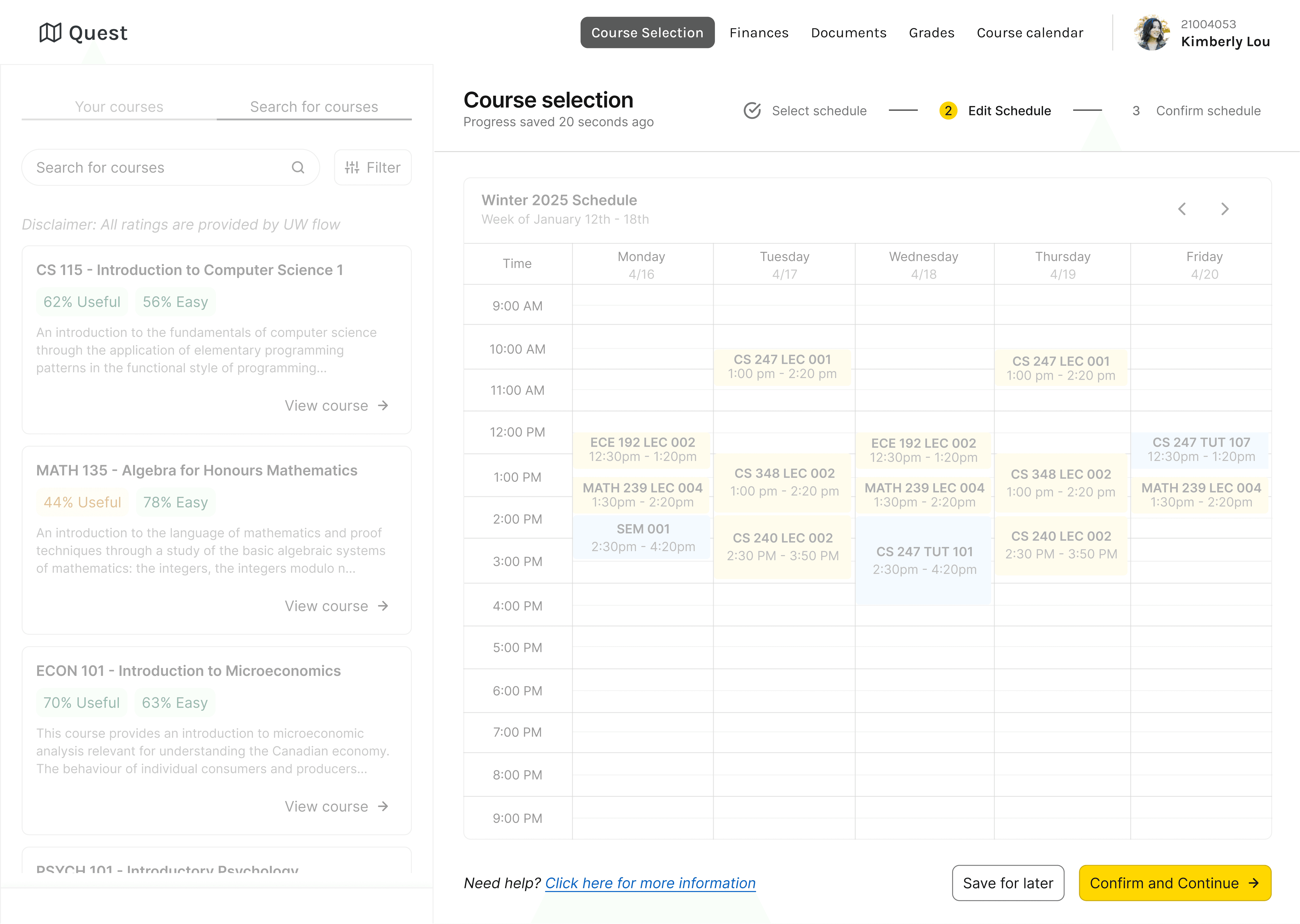
“Timeline doesn’t feel like it affects the whole page”

“Timeline doesn’t feel like it affects the whole page”

In one of my early iterations of my prototype, one of my colleagues pointed out how the timeline felt like it didn't affect the whole page. In my final version, I fixed this issue, adjusting the information architecture of the whole page.

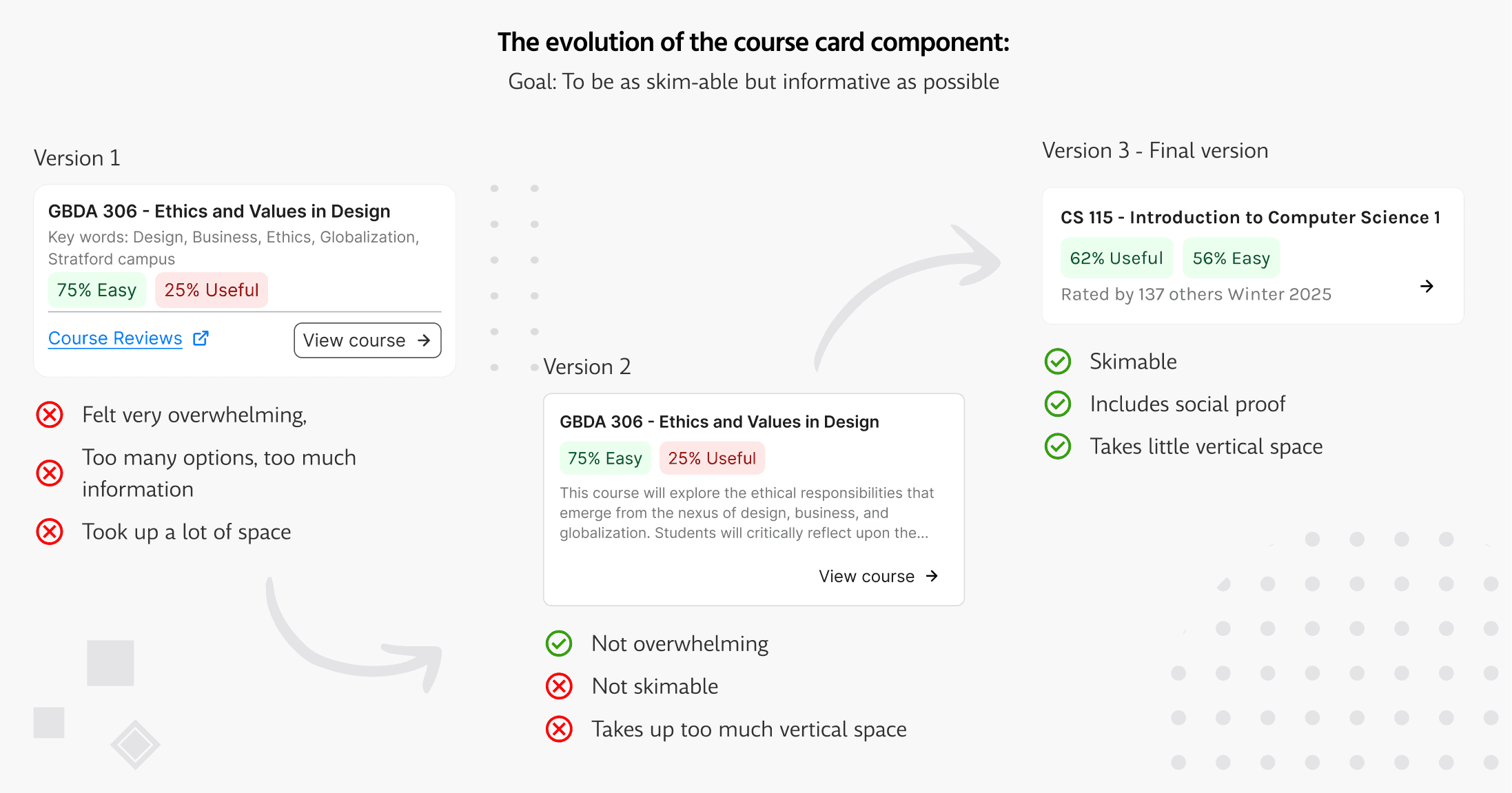
Goals for the course card component:

Goals for the course card component:

The course card component was really important for researching and navigating different courses on the website. Here how I used these goals to evolve the design of the component.

Be skim-able

Students should be able to skim over information quickly.

Be informative

Information should be useful enough to help users make decisions.
The final solution

Overview of the finalized solution and features:

Feature 1

Research, and visualize your schedule simutaneously

This new version of Quest is very interactive and allows you to make updates to your calendar in real time.

Feature 2

Prevent yourself from taking courses that you can't take

Any pre-requisite or timing conflicts are highlighted and shown to the user clearly to prevent them from taking it.

Feature 3

Search for courses with smart filters

Users can search and filter through courses by program, pre-requisites and more.

Reflection

What I would do if I had more time?

What I would do if I had more time?

This was a huge project with a lot of considerations, but by no means is it finished or perfect. Here are some of the things I would do if I had more time.

Conduct testing on real users

Conduct testing on real users

Validate my designs and decisions, with real Waterloo students and understand how I can improve the designs of the project.

Expand the scope of the project

Expand the scope of the project

Quest is a huge website that doesn't which isn't just limited to its course selection system, If I had more time, I would fix the whole website.

Consider admins (huge user group)

Consider admins (huge user group)

For my solution, I focused largely on students for the users, next I should really consider how to design the solution with the University admins in mind.

Reflection

What did I learn through this project?

What did I learn through this project?

This project was a huge learning experience for me as a solo designer, taking responsibility of all parts of the design process. Heres my biggest learnings.

Design isn't about checking boxes

Design isn't about checking boxes

Designers have many methodologies, tools, and frameworks to solve problems, but I learned you shouldn't use them just for the sake of using them. You should methodologies, tools, and frameworks to inform decisions that make sense in the context of the project.

Journaling is really helpful

Journaling is really helpful

With design, I find that there is a million ways to go about solving a problem, which for me can become very overwhelming. I found that writing down my thoughts and reflecting not only helped me complete this project, but serve as useful documentation to look back on.

introducing…

A re-imagined course selection process on Quest

What are the benefits of this re-design?

Fewer Tabs, less stress

All information is included in the platform, reduces overwhelmingness

Efficient planning

Real-time updates make schedules quicker to build and track changes

Fewer mistakes

Timely communication of constraints leads to fewer mistakes

Final solution

Tying everything together

Feature 1

Research, and visualize your schedule simutaneously

This new version of Quest is very interactive and allows you to make updates to your calendar in real time.

Feature 2

Prevent yourself from taking courses that you can't take

Any pre-requisite or timing conflicts are highlighted and shown to the user clearly to prevent them from taking it.

Feature 3

Search for courses with smart filters

Users can search and filter through courses by program, pre-requisites and more.

Feel free to contact me :)

Designed by and crafted with care by Justin

Feel free to contact me :)

Designed by and crafted with care by Justin

Feel free to contact me :)

Designed by and crafted with care by Justin

More research

Mapping the user journey and exploring the landscape

To design a solution that truly worked, I needed to understand where in the course selection process these frustrations occurred and what solutions (if any) already existed.

This chart showcases each pain point within each step and the most common websites used for each step of the user journey,

What did I learn from this?

A new product would worsen course selection

Using the market analysis, I realized that creating an entirely new product would just add to the overall clutter of information available. That's why I opted for a re-design instead.

Students alternate between research and scheduling

Students have to constantly switch tabs planning out different course timings in their schedule. (This insighted the core feature of simutaneous viewing in the re-design)